
Designer-first Pakistani couture Shopify theme — drops, museum-label PDP, couture commission, editorial journal.
Designer-led Pakistani couture houses (Asim Jofa, Sana Safinaz, Annus Abrar tier) and luxury MENA ateliers selling 20–200 SKUs in seasonal drops, USD 600 – 12,000, with made-to-order and atelier-visit workflows.
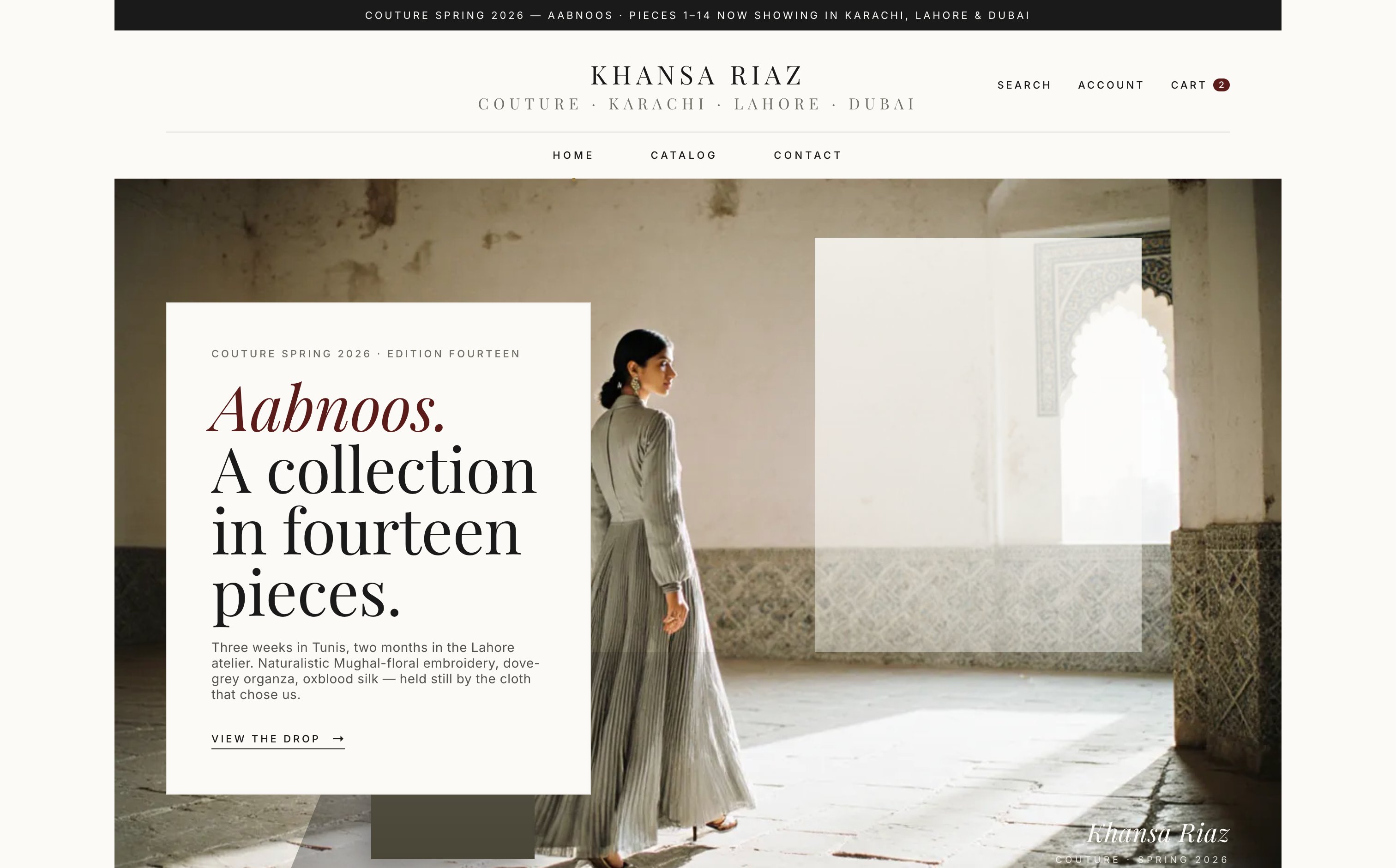
Designer-led couture is sold on point of view, not SKU breadth. Atelier is the first Shopify theme designed around the house — five named designers, a current drop, a museum-label specimen page, and a journal that reads like a season programme.
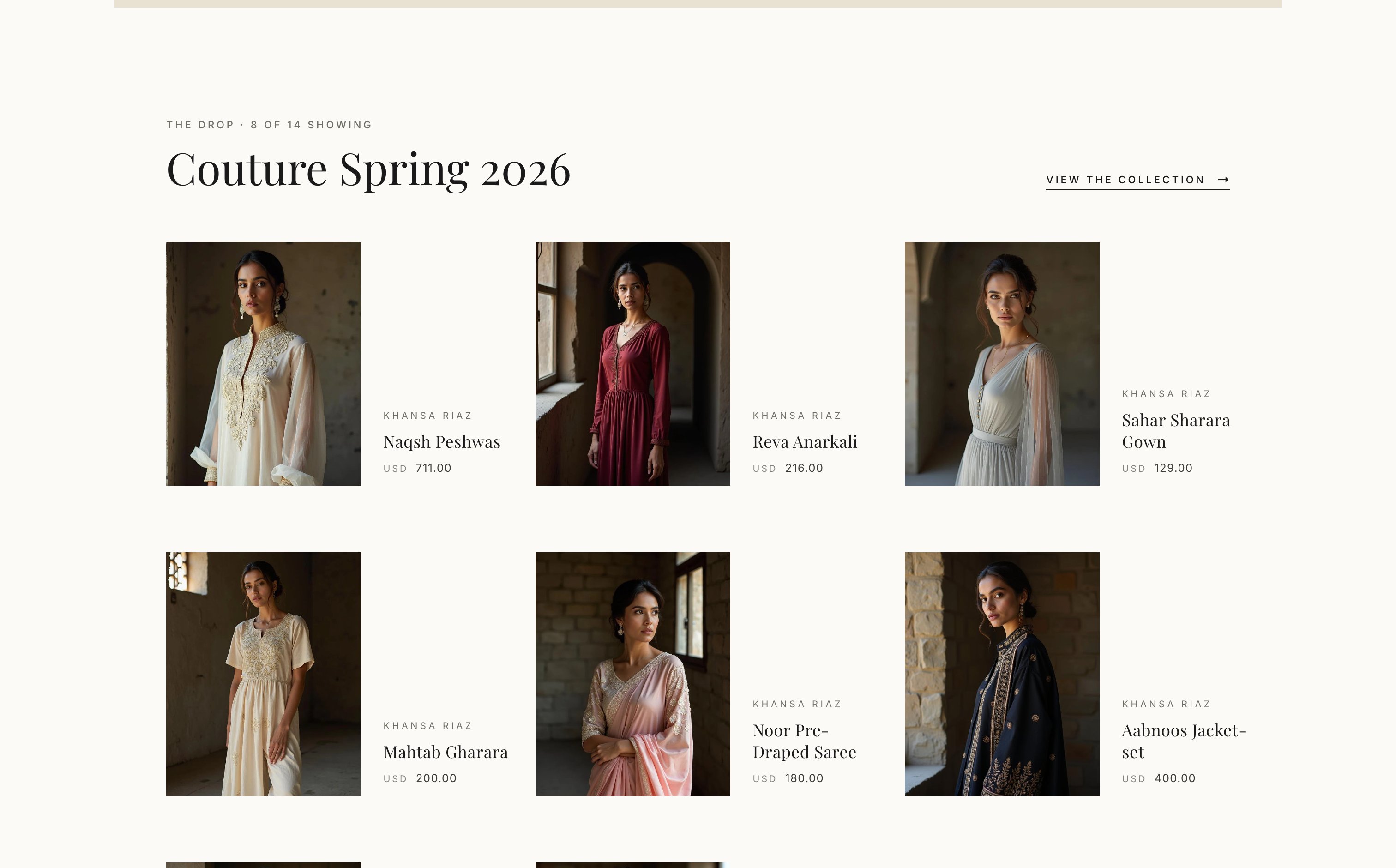
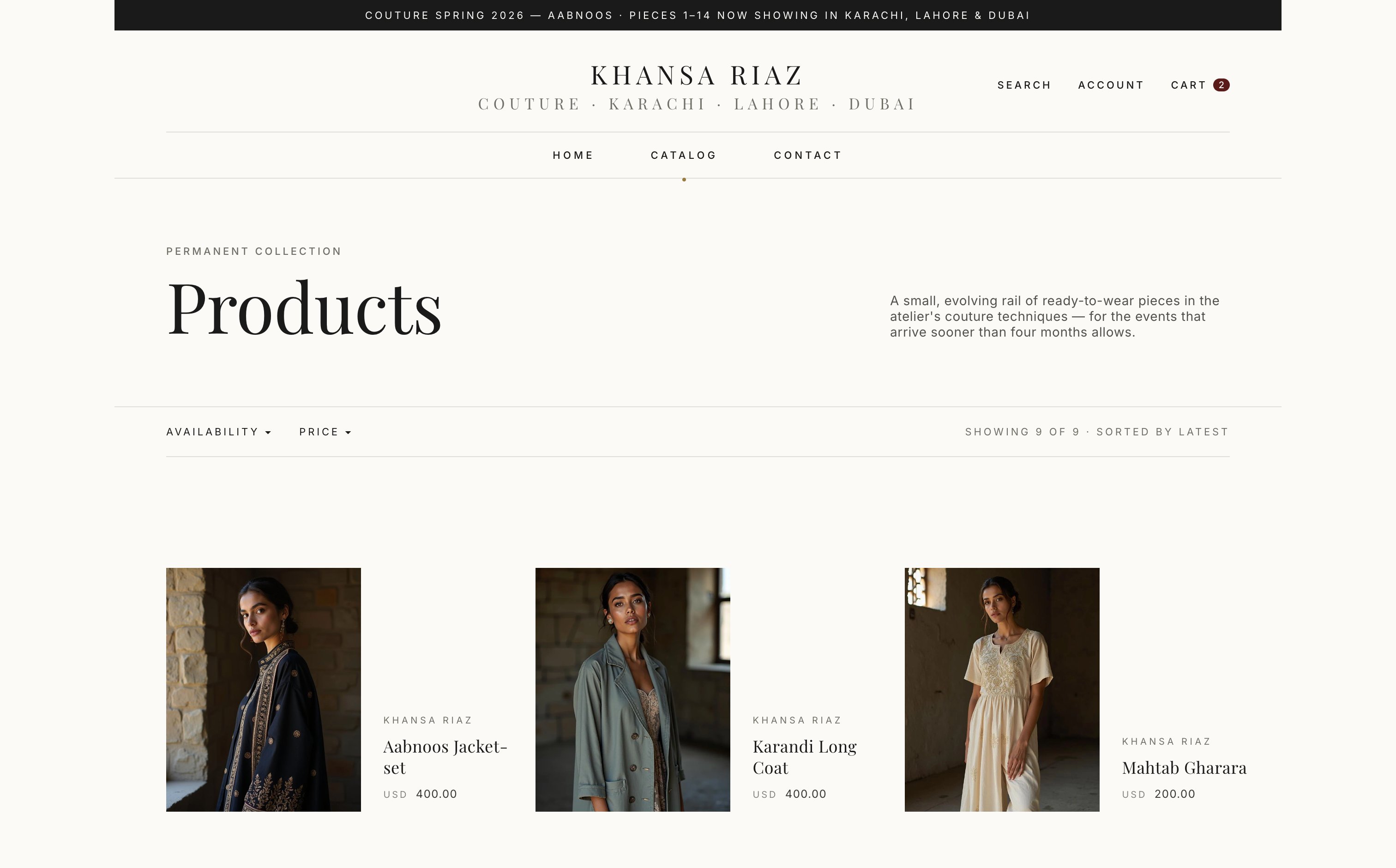
Atelier inverts the standard PLP flow. The header opens with named designers (5 by default), the home page leads with the current seasonal drop, and collections are merchandised as boutique cards — never a generic grid.
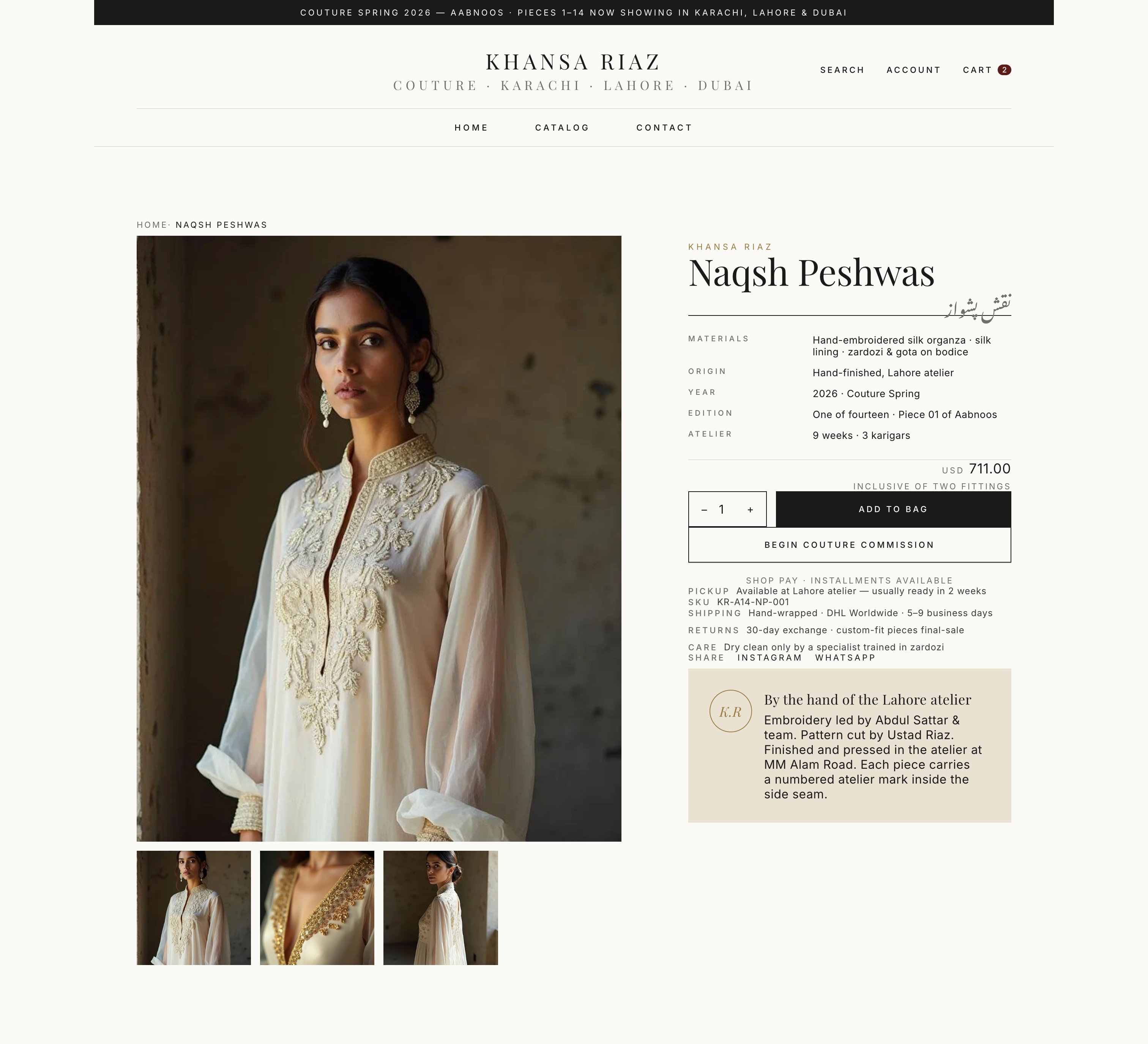
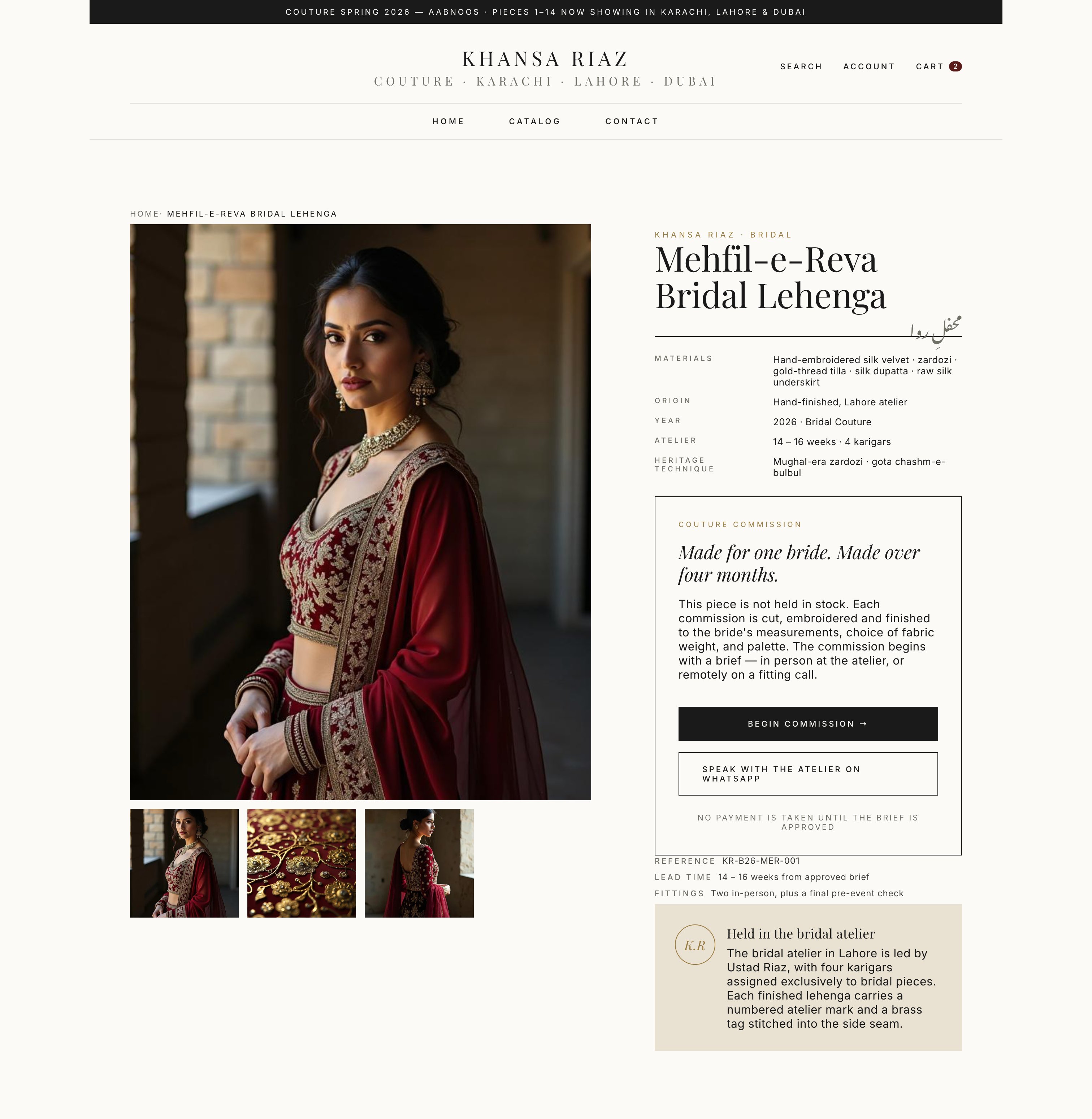
The default product page is a single full-bleed specimen with a museum-style info panel — small caps, hairlines, fabric origin, atelier notes. A commission preset switches the CTA from "Add to bag" to a dedicated 4-step couture commission inquiry.
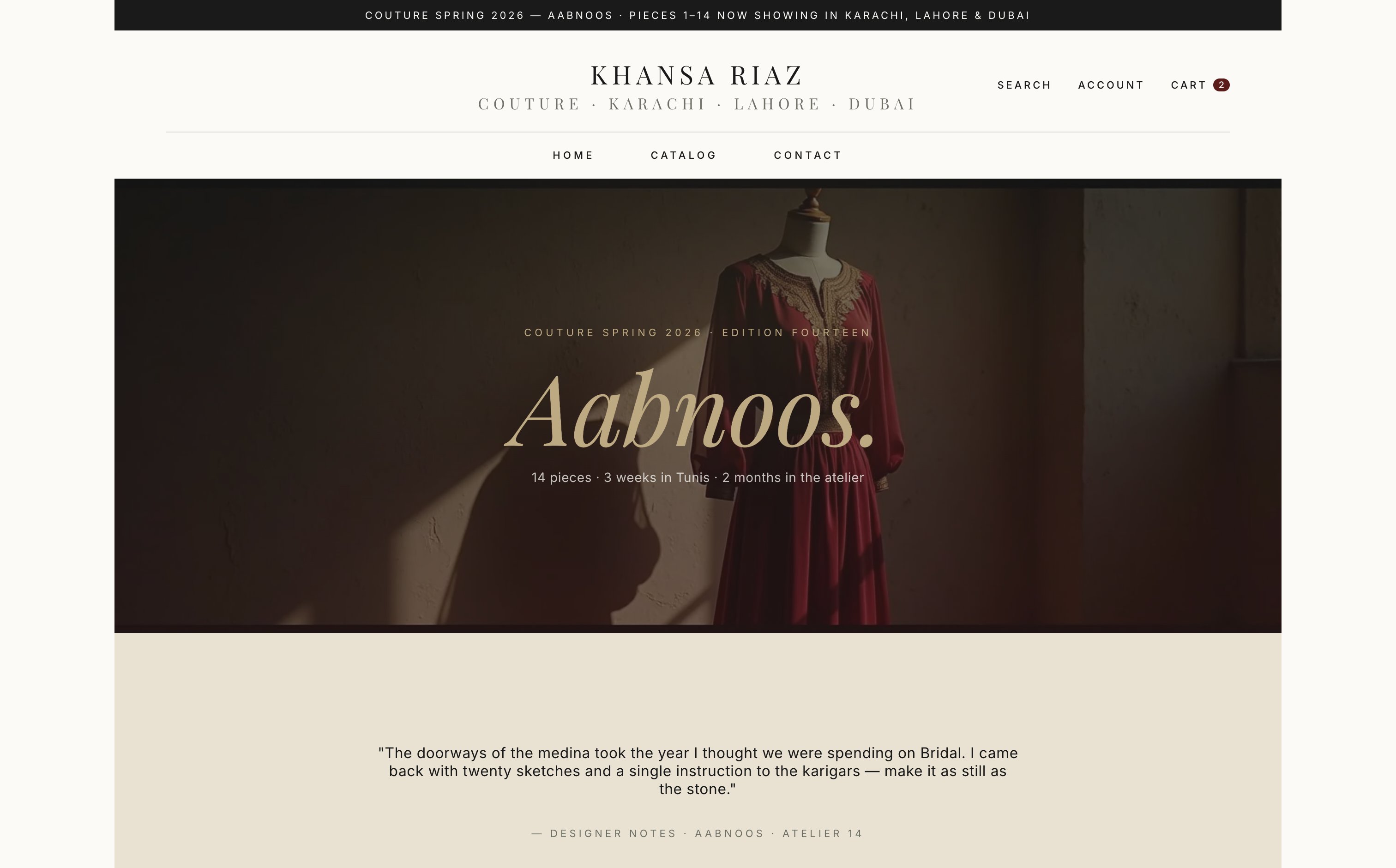
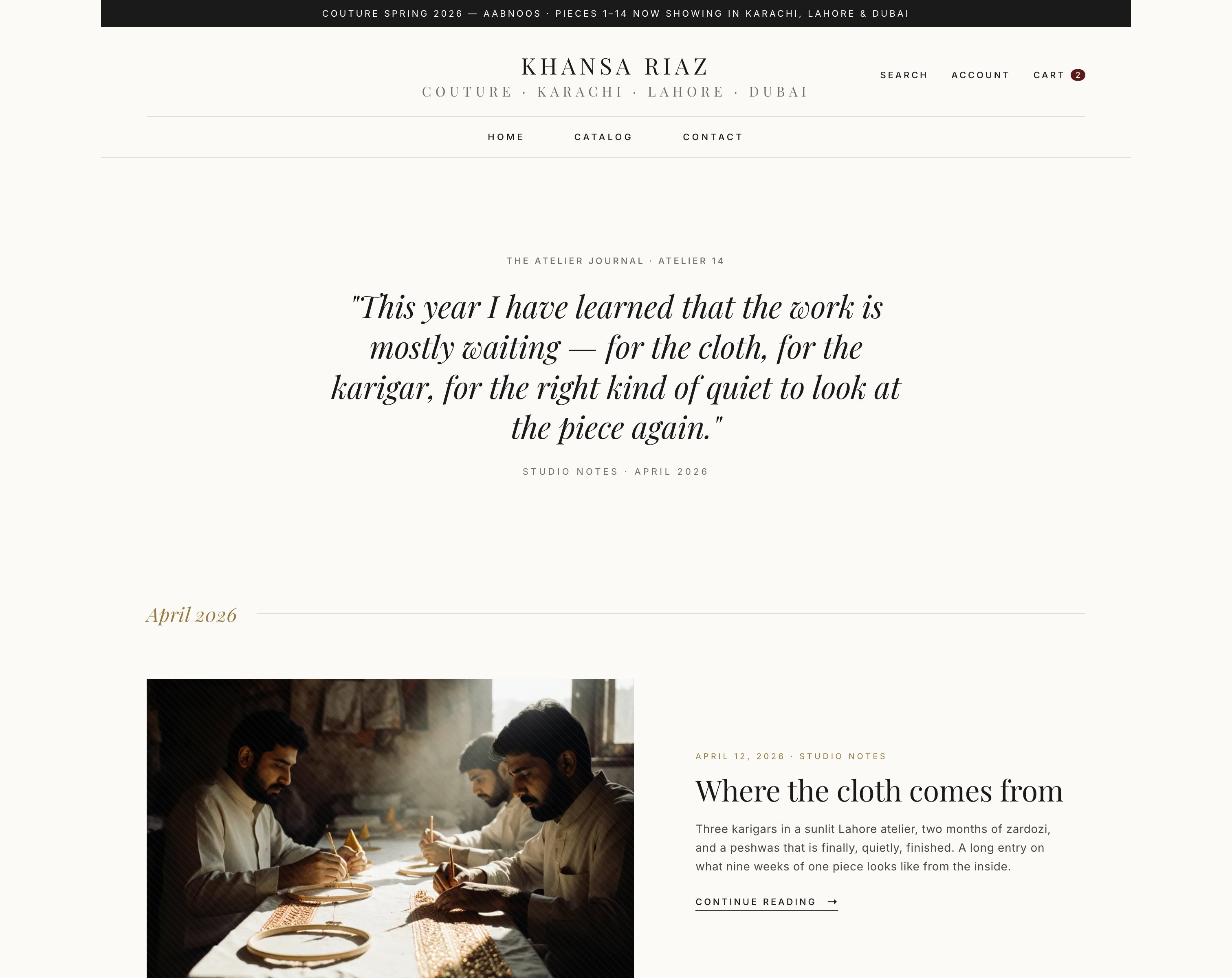
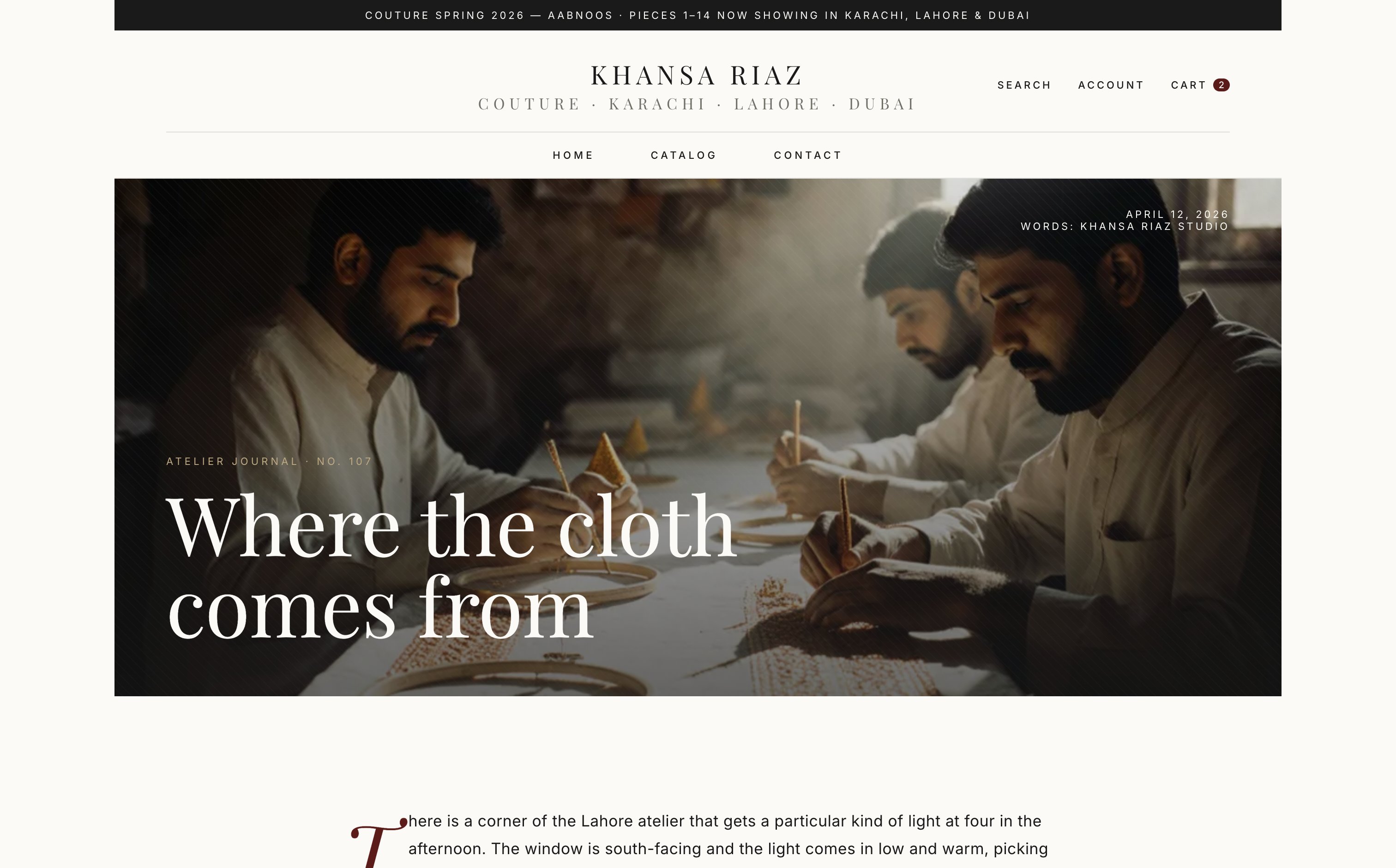
A dedicated journal blog template with full-bleed editorial hero, drop-cap body, signature block, related-articles strip, and six tone classes (karigar, fabric, studio, archive, lookbook, quote) for image-less articles to render beautifully out of the box.
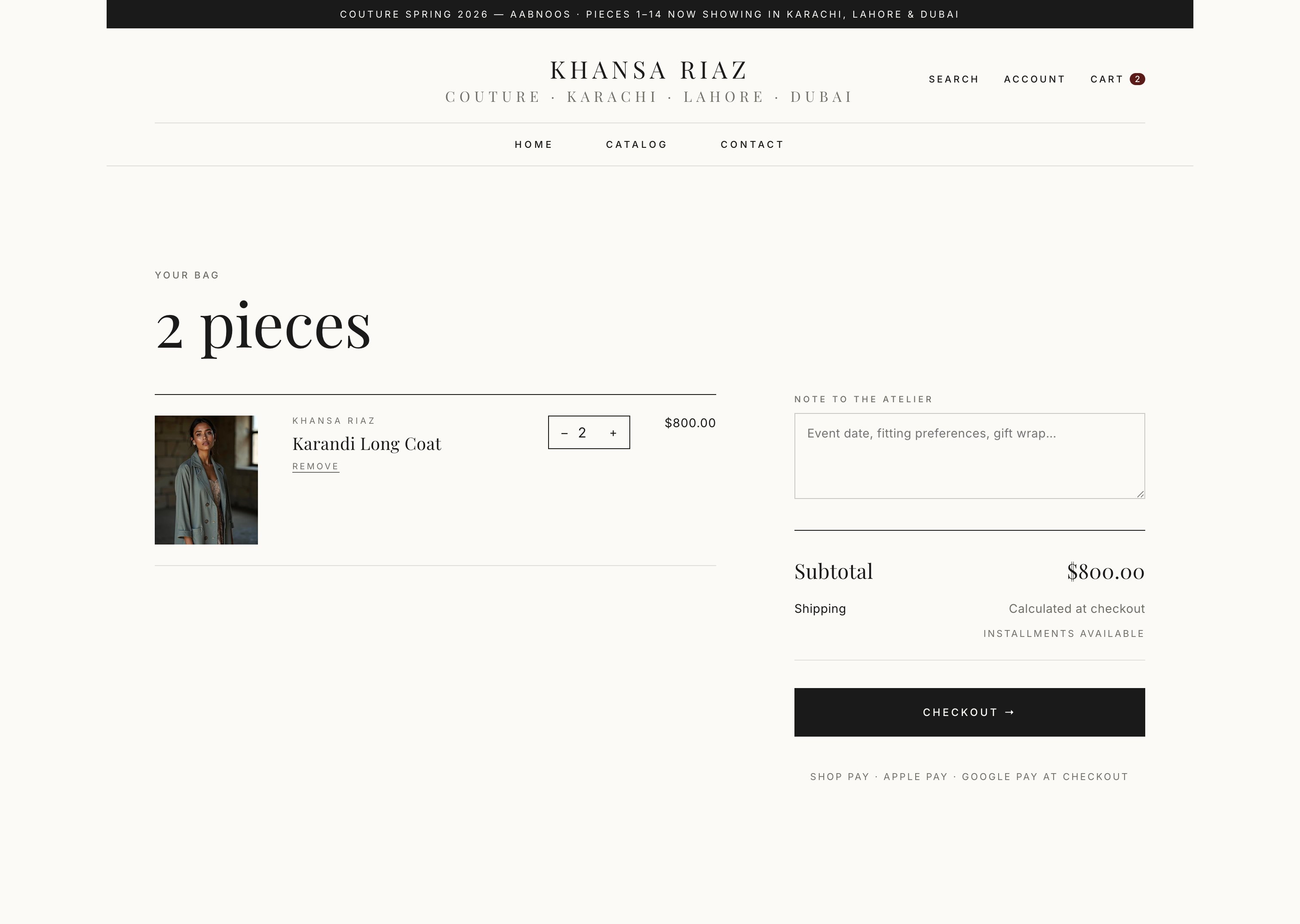
Couture purchases are considered. Atelier ships a full-page cart with line-item museum captions, an inquiry-or-checkout split, and a "Reserve for fitting" affordance — not a noisy drawer that interrupts the editorial spell.
A header that names the designer first. A home page that leads with the drop. A product page that reads like a museum label. A commission flow. A journal. Nothing else.
The main nav opens with named designers — five out of the box, configurable per merchant. Drops, Boutique (PLPs), Atelier (about + journal + commission) sit to the right. Flat, hairline-divided, no mega-menu noise.
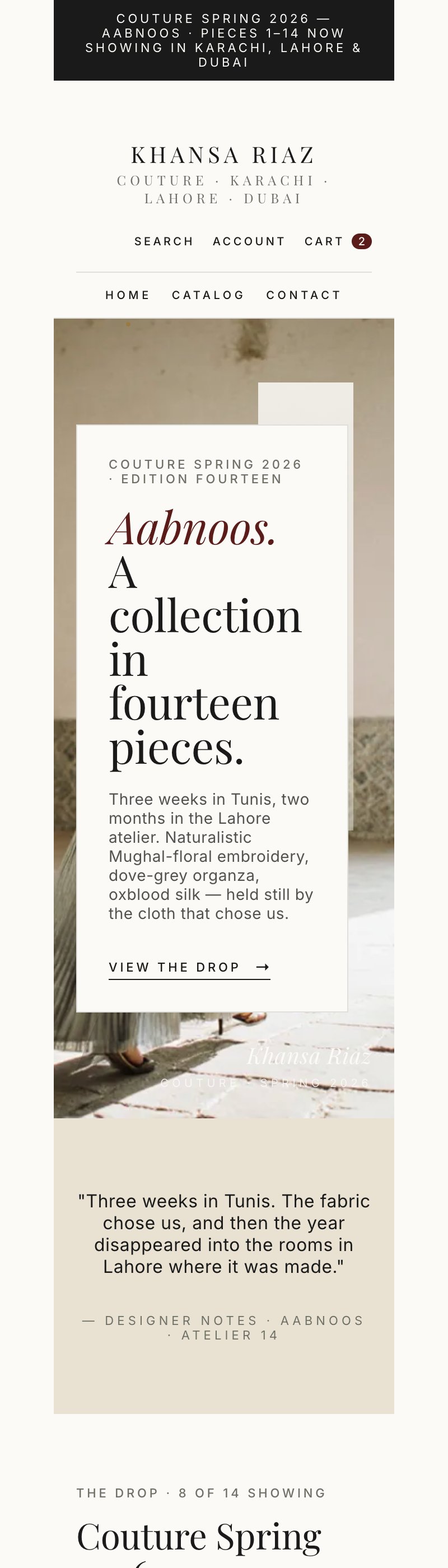
sections/current-drop-hero.liquid drives the home above-the-fold with the active seasonal drop. A dedicated templates/collection.drop.json renders any collection as a long-form drop landing page with an ink hero, BTS strip, and editorial product rows.
templates/product.json is the museum-label specimen — large serif title, hairline-bordered info panel with small-caps labels (fabric, origin, atelier note, dimensions), variant chips below the panel, single accent CTA. No tabs, no accordions.
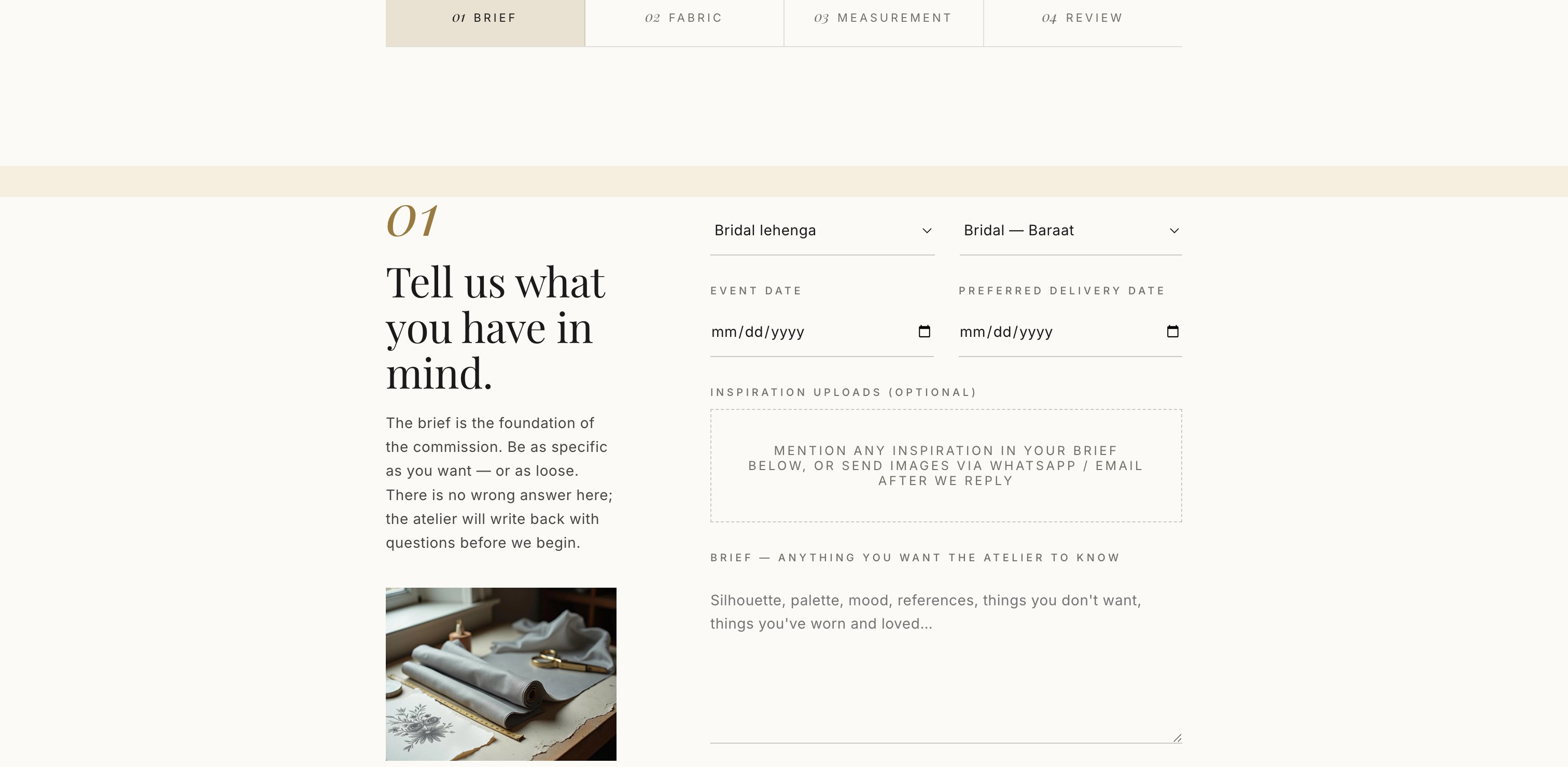
templates/product.commission.json swaps the CTA for "Begin a commission" and surfaces estimated lead time. The companion templates/page.commission.json is a guided 4-step inquiry (silhouette → fabric → measurements → contact) with the originating product pre-attached.
templates/blog.journal.json renders a timeline of articles grouped by month. templates/article.journal.json drives the full-bleed hero variant with edition label, 88px serif headline, byline upper-right, drop-cap body, and Atelier signature between hairlines.
Articles without a featured image render through one of six tone gradients with a matching bundled illustration: karigar (ochre/brown), fabric (bone/tan), studio (ink/oxblood), archive (mineral/black), lookbook (brass/brown), quote (dark ochre).
sections/boutique-card-grid.liquid replaces the generic collection-list. Large hero card top-left, three smaller stacked cards right — no slider, no overlays, hairline-only chrome. Used on home + Atelier landing.
sections/cart.liquid is a destination page, not a drawer. Line items render with their museum captions, fitting / commission notes are exposed inline, and the footer splits "Reserve a fitting" against "Continue to checkout".
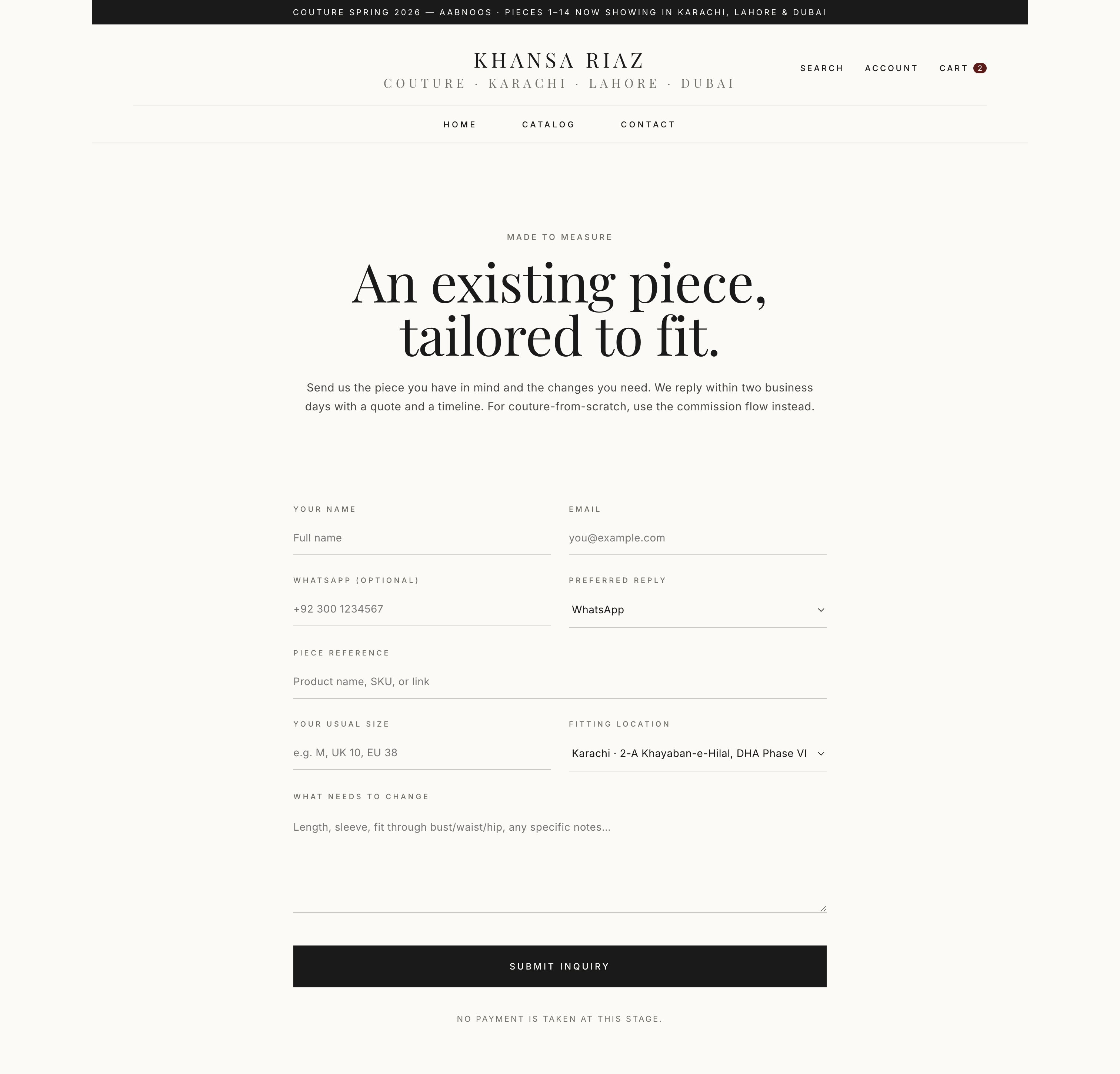
A standalone templates/page.mtm-inquiry.json with a WhatsApp-first form (name, garment, event date, measurements upload, language). Captured fields post to Shopify's native contact endpoint and surface in admin.
Atelier ships Playfair Display (display), Inter (body + caption 500) and Noto Nastaliq Urdu loaded directly via Google Fonts to bypass Shopify's font-picker exclusion. Optional Arabic Naskh layer available for MENA presets.
Every divider, every panel border, every PLP card edge is a single 1px hairline computed from the text colour (12% and 22% alpha tokens). The signature look that ties the theme together — never adjusted by accident.
Main product, featured product, and cart sections expose @app blocks. Drops in the SMB Product Add-ons & Size Chart app cleanly — and any other Shopify app that targets product page blocks.
Drop hero, museum-label PDP, hairline boutique grid, full-bleed journal, page-style cart — every surface tuned for considered couture, not impulse fashion.
Atelier is a Skeleton-based theme — install it via Shopify CLI for development or upload the zipped theme through Online Store → Themes → Add theme for production.
shopify theme dev --store your-dev-store.myshopify.com from the theme directory for hot-reload development.@app blocks on the main product section.Atelier ships two color schemes built on the same palette tokens: background, text, accent, brass, mineral, bone. All schemes meet Shopify's contrast requirements (4.5:1 body, 3:1 large + non-text).
#1B1410 on bone #F6EFE0, brass accent #B9893E, mineral grey #6E7066. The daytime / lookbook preset.#1A1A1A, bone text, brass accent — for evening, archive and lookbook brands.text-color at 12% (--hairline) and 22% (--hairline-strong) alpha. Don't override directly.--section-y CSS variable — Compact (40–80px), Standard (48–96px), Editorial (56–108px), Gallery (64–120px, Atelier default).The Atelier header inverts the standard "Shop / Collections / Sale" pattern. It opens with named designers, followed by Drops, Boutique, Atelier (about / journal / commission), Journal. Flat, hairline-divided, no mega-menu — the editorial vocabulary the category actually uses.
drops_in_menu archived drops (configurable range).
The home page is built from JSON-defined sections — every one editable in the Theme Editor.
The default templates/index.json ships with the order below.
Atelier treats drops as a first-class merchandising surface. The home page features the active
drop via sections/current-drop-hero.liquid; any collection can be rendered as a
long-form drop landing page via templates/collection.drop.json.
The default product page (templates/product.json) is the museum-label specimen —
a single full-bleed image, a hairline-bordered info panel with small-caps labels, variant chips,
and a single accent CTA. Three blocks (museum-label, heritage-provenance, app/custom-liquid)
are exposed for merchants who want more detail.
@app block, Custom Liquid.product.commission.json per product via Theme template picker. Swaps "Add to bag" for "Begin a commission" → links into the 4-step commission flow with the product pre-attached.
The couture commission flow is Atelier's commercial spine. A dedicated 4-step inquiry page
(templates/page.commission.json) accepts inquiries — and the commission product
preset wires existing SKUs into the same flow with the product attached.
linked_product_id, silhouette, fabric, event_date, whatsapp_number. Redirect to a thank-you page with appointment scheduling copy.
The journal is the editorial backbone of the theme. templates/blog.journal.json
renders a timeline of articles grouped by month. templates/article.journal.json
drives the full-bleed editorial article with hero, byline, drop-cap body, signature, and a
3-up related-articles strip.
journal in Shopify admin. The home page journal-preview section auto-pulls from that handle.article.template_suffix == 'journal' for the full-bleed treatment; default is an inline hero. A theme setting can force-flag every article into the journal treatment.journal-tone:karigar on the article or auto-picked by handle.article.metafields.atelier.edition_label single-line text for "Atelier 14" or "Issue 03" type prefixes above the byline.Atelier ships the same bilingual-headline pattern as Mehfil — an English headline (Playfair) paired with an Urdu headline rendered in Noto Nastaliq Urdu. Pairing is typographic only — it does not switch page direction.
layout/theme.liquid because Shopify's font picker doesn't include it. The merchant's type_urdu_font picker (default Work Sans) is the fallback.
In addition to the structured 4-step commission flow, Atelier ships a lighter
templates/page.mtm-inquiry.json — a single-page WhatsApp-first inquiry form
for measurement work outside the commission programme.
linked_product_id, fitting_date, whatsapp_number.Atelier defaults to a full page cart, not a drawer. Couture purchases are considered — the cart is a destination that reads like an editorial summary. Drawer + notification cart types remain available via theme settings for merchants who prefer them.
| Key | Type | Used by |
|---|---|---|
metaobject: artisan | Metaobject definition | Heritage Provenance block |
artisan.name | Single line text | Heritage Provenance — karigar / atelier name |
artisan.region | Single line text | Heritage Provenance — workshop region |
artisan.craft_technique | Single line text | Heritage Provenance — craft (Zardozi, Mukaish…) |
artisan.portrait | File | Heritage Provenance — square portrait |
artisan.bio | Rich text | Heritage Provenance — bio body |
product.atelier.museum_label | Rich text | PDP — museum-label info panel rows |
product.atelier.fabric | Single line text | PDP & cart museum caption — fabric line |
product.atelier.origin | Single line text | PDP & cart museum caption — origin line |
product.atelier.atelier_note | Single line text | PDP & cart museum caption — atelier note |
product.atelier.lead_time | Single line text | PDP museum panel + commission CTA lead time |
product.atelier.commission_enabled | Boolean | PDP — show "Begin a commission" CTA (commission preset) |
product.atelier.urdu_headline | Single line text | PDP — bilingual headline (Urdu Nastaliq) |
collection.atelier.drop_label | Single line text | Drop template — "Couture Spring 2026" style label |
collection.atelier.release_date | Date | Drop template + current-drop-hero — release date line |
article.atelier.edition_label | Single line text | Journal article — "Atelier 14" / "Issue 03" prefix |
All custom metafields use the atelier namespace for theme-owned fields, and the
details namespace for shared (Mehfil-compatible) ones. If you also install the
Product Add-ons & Size Chart companion app, additional custom.* metafields
are managed by the app and consumed by its app-block on the product page.
Before going live, walk this list — it mirrors the Theme Store submission bar, even if you're installing Atelier on your own merchant store.
@app block and a Custom Liquid block./pages/commission) and commission-preset products link into it.journal created. At least three articles published so the home journal-preview renders.Updates, bug fixes and merchant support are handled by the same engineers who wrote the theme. Email us — we respond within one business day.